How Git Works Internally
›Very Simple English, No Heavy Words
Most people think Git is just this:
Type command → Save code → Done
But inside, Git is doing many smart things.
Git is not magic.
It is a system that stores snapshots, connects data, and protects history.
Let’s go inside Git and see how it really works.
What is the .git Folder?
When you run:
git initGit makes a hidden folder:
.gitThis folder is the brain of Git.
It stores:
- All commits
- All branches
- All file data
- All history
If you delete .git:
- Your files stay
- But Git forgets everything
So:
Your code = your project
.git = memory of your project
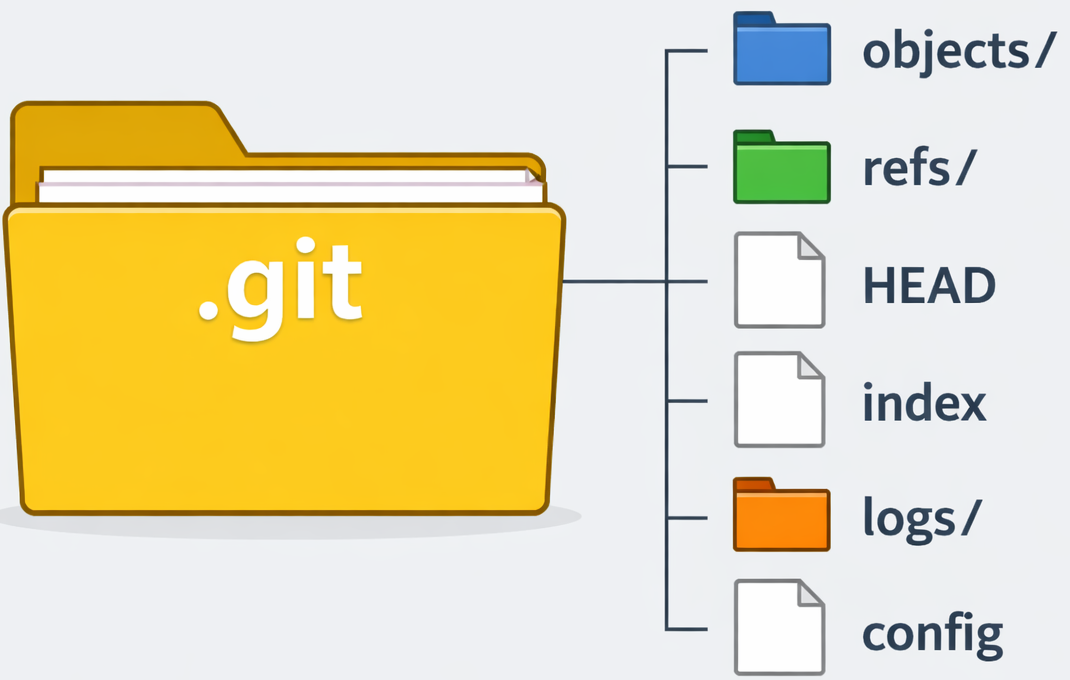
git-folder-structure
Git Objects: Blob, Tree, Commit
Git saves everything as objects.
›Blob
Blob means file data.
- Only file content
- No file name
- Same content = same blob
›Tree
Tree is like a folder.
- Connects file name to blob
- Connects folder to another tree
Tree says:
This name → This blob
This folder → This tree
›Commit
Commit is a full photo of your project.
It stores:
- One main tree
- Parent commit
- Time and author
- Message
So:
Commit = snapshot of your project
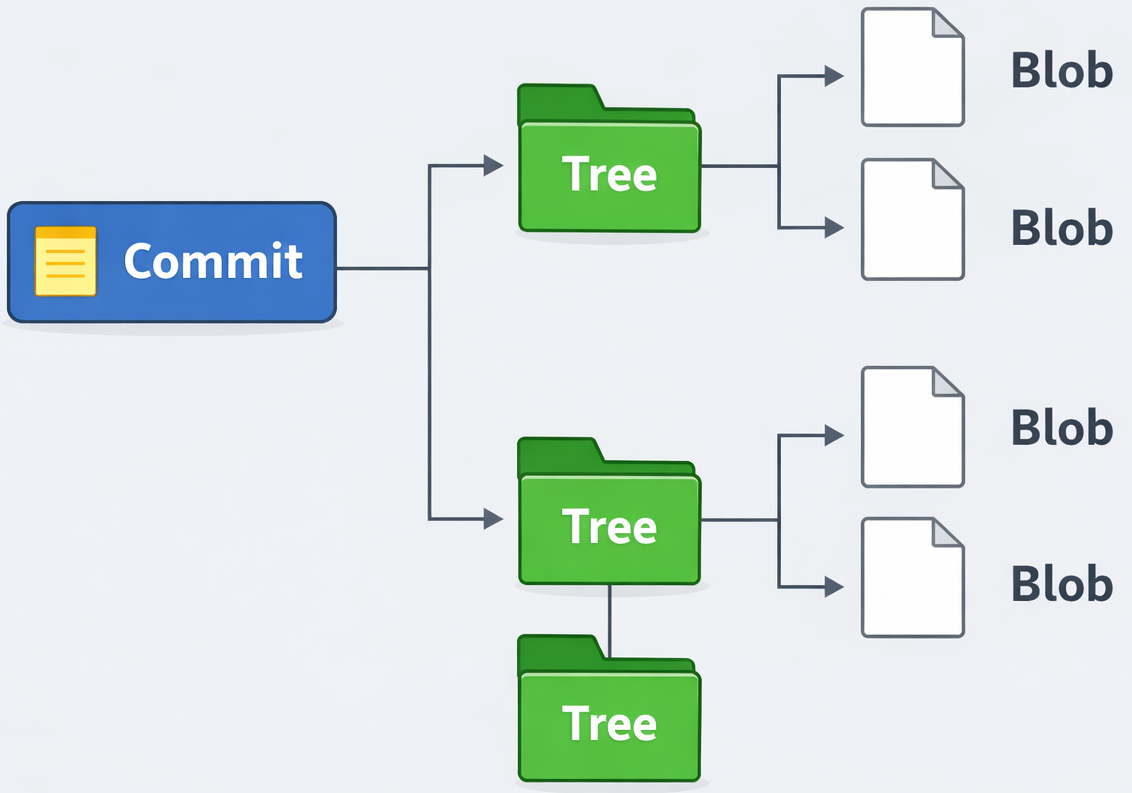
git-commit-tree-blob
How Git Tracks Changes
Git does not track lines.
It tracks full snapshots.
Every commit is a full picture.
If a file is same:
- Git reuses old blob
So Git saves space and time.
What Happens in git add
When you run:
git add file.txtGit does:
- Reads file
- Makes hash of content
- Saves it as blob in .git/objects
- Adds it to staging area
So:
git add = prepare file for commit
What Happens in git commit
When you run:
git commit -m "msg"Git does:
- Reads staging area
- Makes trees from folders
- Links blobs to trees
- Creates commit object
- Moves branch to new commit
So:
git commit = save snapshot forever

git-workflow
How Git Uses Hash
Hash is like ID of data.
- Same data → same hash
- Small change → new hash
Git uses hash to:
- Name objects
- Find objects
- Protect data
If data breaks, hash will not match.
So Git knows something is wrong.
Simple Mental Picture of Git
Do not think in commands.
Think like this:
- git add = get ready
- git commit = save photo
- Commit = photo
- Branch = line of photos
- .git = photo album
Git is just:
- Data
- Hash
- Snapshots
- Pointers
Once you see this,
Git becomes simple.